Deploying Two AI Applications on AWS ECS Fargate: A Journey from Local Dev to Production
Introduction
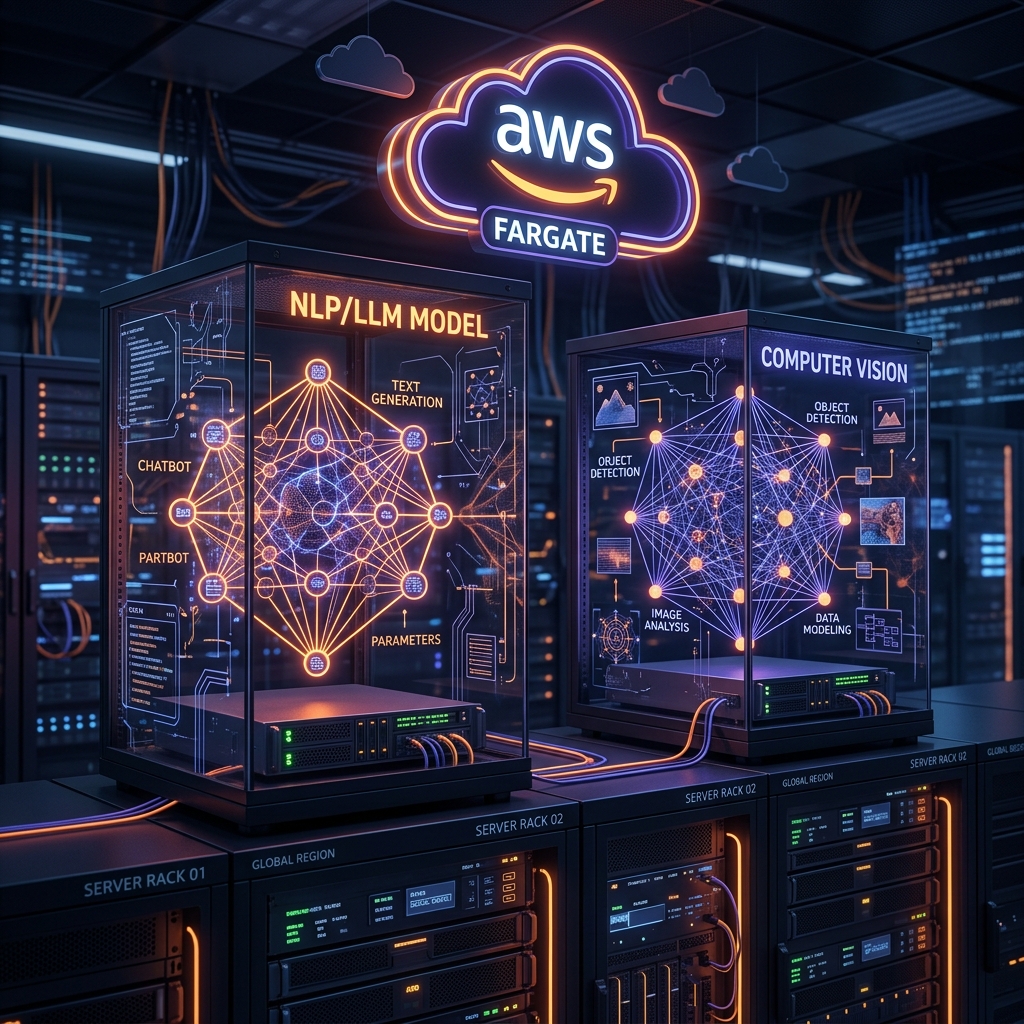
This post documents the end-to-end journey of taking two AI-powered applications built locally and deploying them on AWS ECS Fargate. Both applications use AWS Bedrock as their LLM backbone, but they differ significantly in architecture, stack, and deployment complexity. Along the way, we made deliberate architectural decisions, hit real-world infrastructure constraints, and learned lessons worth sharing with anyone doing the same.
The two applications:
- EvalAgent Studio - A RAG and chatbot evaluation platform that compares multiple evaluation frameworks side by side
- AI Test Driven - An AI-powered test automation code generator that converts manual QA test cases into Selenium and Playwright automation code
Part 1: EvalAgent Studio
What It Does
EvalAgent Studio is a platform for evaluating RAG systems and LLM-based chatbots. It accepts a document, generates questions using an LLM, collects answers from a connected RAG system, and then evaluates those answers across multiple frameworks simultaneously. The key differentiator is the side-by-side comparison of five evaluation frameworks - DeepEval, RAGAS, HuggingFace Evaluate, MLflow, and Vertex AI - giving teams a comprehensive view of their RAG system’s quality.
Tech Stack
| Layer | Technology |
|---|---|
| Frontend | Next.js 16, React 19, Tailwind CSS, shadcn/ui |
| Backend | FastAPI (Python 3.11), SQLAlchemy ORM |
| Database | PostgreSQL (RDS in production) |
| LLM / Evaluation | AWS Bedrock (Claude Opus), DeepEval, RAGAS, MLflow |
| Embeddings | Amazon Bedrock Titan Embeddings (migrated from sentence-transformers) |
| File Storage | Amazon S3 |
| Container | Docker, ECS Fargate |
| Source Control | AWS CodeCommit |
| CI/CD | AWS CodeBuild |
How We Received the Code
The codebase was built locally and designed to work with Docker Compose - PostgreSQL running as a local container, sentence-transformers for embeddings, Google Vertex AI as an optional evaluation engine, and Ollama as a local LLM fallback. The code was functional locally but had several components incompatible with a cloud-native deployment.
Architectural Decisions
1. Removing PyTorch and sentence-transformers (~1.1 GB memory saved)
The original embedding pipeline used sentence-transformers with the all-MiniLM-L6-v2 model. In a 5120 MB ECS container, PyTorch CPU alone consumed ~800 MB and sentence-transformers another ~300 MB - leaving dangerously little headroom for concurrent evaluation requests.
Decision: Replace sentence-transformers with Amazon Bedrock Titan Embeddings. This eliminated PyTorch from the image entirely, freed ~1.1 GB of runtime memory, and moved embeddings to a managed AWS service. The trade-off: one BERTScore metric was removed from the HuggingFace engine since it depended on PyTorch. All other metrics (BLEU, ROUGE, F1, semantic similarity) remained.
2. Removing Google Vertex AI and Ollama
Vertex AI required Google Cloud credentials and SDK (~400 MB), which had no place in an AWS-native deployment. Ollama was a local LLM fallback already commented out in configuration. Both were cleanly removed, reducing image size and eliminating non-AWS dependencies.
3. SQLite → RDS PostgreSQL
The original code had a SQLite fallback that would silently downgrade if PostgreSQL was unreachable. For production, this was a liability. We removed the fallback entirely and wired the app exclusively to RDS PostgreSQL with SSL.
The retrieval behavior demo module had its own separate SQLite database. We migrated it to the same RDS instance using prefixed table names (rb_documents, rb_chunks) to avoid conflicts with the main app tables.
4. Local file uploads → Amazon S3
Document uploads were saved to a local Docker volume. In ECS, containers are stateless - volumes are ephemeral and lost on restart. We modified the upload handler to write to S3 when an UPLOAD_S3_BUCKET environment variable is set, falling back to local disk for development.
5. Port change: 8010 → 8080
The ALB target group was provisioned on port 8080. Rather than changing the infrastructure, we changed the FastAPI backend to match - eliminating any confusion between the ALB-facing port and the container port.
Infrastructure Challenges
The Private Subnet Problem
RDS was initially created in private subnets, which was correct for production but blocked local Docker from running Alembic migrations. The private subnet had no route to the internet, and no NAT Gateway was available due to organizational SCP restrictions.
Solution: Temporarily enabled RDS public access, added a local machine IP to the RDS security group for the migration window, ran migrations, then reverted both changes after ECS was confirmed working.
No NAT Gateway (SCP Restriction)
Organization-level Service Control Policies blocked NAT Gateway creation. ECS tasks in private subnets require NAT to reach ECR, Bedrock, S3, and CloudWatch.
Decision: Deploy ECS tasks in public subnets with assignPublicIp: ENABLED. Containers have public IPs but are protected by security groups that only allow traffic from the ALB. For a POC, this is acceptable. For production, the recommended path is VPC endpoints.
Committed .env File with Placeholder Credentials
The backend repository contained a .env file with a placeholder profile name for local development. Python-dotenv loaded this at container startup, overriding the ECS task role with a non-existent profile - causing all Bedrock calls to fail.
Fix: Removed the .env file from the repository, added it to .gitignore, and confirmed that the ECS task role handles authentication automatically with no credentials in the codebase.
Deployment Process
- Separate CodeCommit repositories for backend and frontend
- Backend Dockerfile adjusted to work with the repo root as Docker build context
- ECR repositories created for both images
- CodeBuild projects with Privileged mode for Docker builds, reusing a shared IAM role
- ECS task definitions referencing AWS Secrets Manager for sensitive values
- ECS services deployed in public subnets with ALB integration
- ALB port 8080 routes to the backend; port 80 routes to the frontend
Issues Encountered and Resolutions
| Issue | Root Cause | Resolution |
|---|---|---|
langchain_community import error at startup |
Newer langchain-community removed chat_models.vertexai module |
Added a Dockerfile step to create a stub compatibility shim after pip install |
TypeScript build error on vertex_metrics |
Frontend still referenced removed vertex types | Made vertex_metrics optional in the TypeScript type definition |
| Docker Hub rate limit in CodeBuild | Too many unauthenticated pulls from Docker Hub | Switched base image to AWS ECR Public mirror (public.ecr.aws/docker/library/node) |
Frontend returning 404 at /evalagent path |
Next.js 16 App Router statically pre-rendered a 404 for the basePath root during CodeBuild | Removed basePath - app served at root URL |
| AWS profile not found in ECS | Committed .env loaded by python-dotenv at startup, overriding IAM task role |
Removed .env from repo |
| RDS unreachable for migrations | Private subnet has no IGW route | Temporarily enabled RDS public access for the migration window |
| Frontend CSS not loading | Static assets at /_next/static/ not routing correctly through ALB |
Added ALB listener rule for /_next/* → frontend target group |
The Path Routing Challenge - What We Tried and Why It Failed
We set basePath: '/evalagent' in next.config.ts to serve the app at /evalagent on the same ALB. The app deployed but returned a cached 404 from Next.js for every request. Investigation revealed:
- The 404 response had
X-Nextjs-Cache: HITandX-Nextjs-Prerender: 1- a statically generated 404, not a runtime error - During the CodeBuild Docker build, Next.js’s static generation silently produced a 404 page for the root route
- AWS ALB forwards the full request path to the container (no path stripping), requiring Next.js to internally handle the basePath - which broke under the build environment
Current approach: App served at root / on port 80. For proper path-based routing, the solution is an nginx sidecar container that strips the prefix before forwarding to the app.
Part 2: AI Test Driven
What It Does
AI Test Driven is an AI-powered test automation code generator. QA teams upload manual test cases in Excel, CSV, PDF, Word, or JSON format. The application uses AWS Bedrock (Claude Sonnet 4) with detailed prompt engineering to generate enterprise-ready Selenium (Java/TestNG) or Playwright (JavaScript/TypeScript) automation code as a downloadable ZIP file.
Tech Stack
| Layer | Technology |
|---|---|
| UI | Flask 3.x + Gunicorn, Bootstrap 5 |
| Backend Engine | FastAPI, Uvicorn |
| LLM | AWS Bedrock (Claude Sonnet 4) via LangChain AWS |
| File Processing | pandas, openpyxl, pypdf, python-docx |
| File Output | Local /tmp (dev) + Amazon S3 (production) |
| Container | Docker, ECS Fargate (single container) |
| Source Control | AWS CodeCommit |
| CI/CD | AWS CodeBuild |
Note: The application was initially described as using Streamlit, but the actual implementation uses Flask with a custom Bootstrap UI. This distinction matters for deployment since Streamlit and Flask have different server models and scaling characteristics.
How We Received the Code
The code had a Windows-specific hardcoded output path, separate requirements.txt files for the Flask UI and FastAPI backend, and used AWS_PROFILE for Bedrock authentication. The FastAPI backend ran on port 8004 and the Flask UI on port 5000, with Flask calling FastAPI via HTTP on localhost.
Architectural Decisions
1. Single Container for Both Services
Flask calls FastAPI via http://localhost:8004. In ECS Fargate, containers within the same task share a network namespace, making localhost calls work natively. We chose a single Docker image running both processes:
- FastAPI starts in the background on port 8004 (internal only, never exposed)
- Gunicorn/Flask runs in the foreground on port 5000 (ALB-facing)
Only port 5000 is exposed via the ALB. This eliminates service discovery complexity and keeps costs low - one task, one ALB target group, one ECS service.
2. Merging requirements.txt Files
The project had separate dependency files for Flask and FastAPI. Since both run in the same container, we merged them into a single requirements.txt at the project root, deduplicating packages and taking the higher minimum versions.
We also took the opportunity to upgrade all packages to Python 3.14-compatible versions, specifically updating packages with C and Rust extensions (numpy, pydantic, lxml, orjson) that require platform-specific wheels.
3. Cross-Platform Output Directory
The original code had a Windows path hardcoded for generated file output. We replaced it with a cross-platform default using Python’s pathlib:
- Local development:
~/Downloads/ai_test_driven/output/src - ECS container:
/tmp/ai_test_driven/output/src - Override: via
BASE_OUTPUT_DIRenvironment variable at runtime
4. S3 for Generated ZIPs in Production - User Downloads via Flask
ECS containers are stateless. A generated ZIP file in /tmp is lost on task restart. We added S3 upload support triggered by the OUTPUT_S3_BUCKET environment variable. When set:
- FastAPI generates the project files → uploads ZIP to S3
- Flask receives the S3 key in the API response
- On user download, Flask fetches the ZIP from S3 and streams it to the browser
The user experience is unchanged - they click Download and receive the ZIP. S3 is invisible to them.
5. No AWS Credentials in the Container
The original code used AWS_PROFILE for boto3 authentication. In ECS, IAM task roles provide credentials automatically. We removed all profile references from the codebase. The existing evalagent-ecs-task-role was reused with the S3 policy updated to include the new bucket.
6. Single Gunicorn Worker
Gunicorn defaults to multiple worker processes. Each worker has its own memory, so the Flask jobs = {} in-memory dictionary is not shared. A job created by Worker 1 would not be found by Worker 2 - “Job not found” errors in the UI.
Fix: gunicorn -w 1 --threads 4 - one process with four threads. All requests share the same jobs dict. This is appropriate for a POC where concurrent users are limited.
Infrastructure Reuse
By deploying in the same VPC and cluster as EvalAgent, most infrastructure was reused:
| Resource | Action |
|---|---|
| VPC, subnets | Reused |
| ECS cluster | Reused |
shared-alb-sg |
Added port 5000 rules |
shared-ecs-sg |
Added port 5000 inbound rule |
| IAM task role | Updated S3 policy to include new bucket |
| IAM execution role | Reused unchanged |
| CodeBuild IAM role | Reused unchanged |
| ALB | Added new listener on port 5000 |
Common Infrastructure Decisions
One VPC, Shared Cluster
All applications share a single VPC and ECS cluster. This saves approximately $32/month per avoided NAT Gateway and $16/month per avoided ALB. Future applications follow the same pattern: new target group, new ALB listener port, new ECS service - everything else reused.
Security Group Architecture (3-Tier)
Internet → shared-alb-sg → shared-ecs-sg → evalagent-rds-sg
             (ALB)          (ECS tasks)        (RDS)
shared-alb-sg: Accepts internet traffic on specific ports, forwards to ECSshared-ecs-sg: Accepts traffic only from the ALB SG, allows HTTPS outbound (Bedrock, S3, ECR)- App-specific RDS SG: Accepts PostgreSQL only from
shared-ecs-sg
Port-Based Routing Strategy
Each application gets its own ALB listener port:
| Port | Application | Component |
|---|---|---|
| 80 | EvalAgent | Frontend |
| 8080 | EvalAgent | Backend API |
| 5000 | AI Test Driven | Flask UI |
This approach avoids path-based routing complexity and works reliably without requiring any application code changes.
IAM Task Roles Over Credentials
No AWS credentials exist in any codebase, container image, or repository. ECS tasks are assigned IAM roles with scoped permissions:
bedrock:InvokeModelfor LLM callss3:PutObject / GetObjectfor file storagesecretsmanager:GetSecretValue(execution role) for startup configuration injection
AWS Secrets Manager for Sensitive Configuration
Database connection strings, API keys, and model identifiers are stored in Secrets Manager and injected into ECS task environment variables at container startup. No .env files exist in production.
What to Do Differently in the Future
1. Fix Path-Based Routing with an nginx Sidecar
For clean URLs without a custom domain, add an nginx container to each ECS task. nginx listens on port 80, strips the app-specific prefix, and proxies to the application on its native port. Zero changes to application code required.
location /evalagent/ {
    rewrite ^/evalagent/(.*) /$1 break;
    proxy_pass http://localhost:3000;
}
2. Use VPC Endpoints Instead of Public Subnets
The current setup runs ECS tasks in public subnets due to SCP restrictions on NAT Gateways. The production-correct approach:
- ECS tasks in private subnets
- VPC Gateway Endpoint for S3 (free)
- VPC Interface Endpoints for Bedrock, ECR, and CloudWatch Logs
This keeps all traffic within the AWS network and eliminates public IPs from containers.
3. Replace In-Memory Job State with DynamoDB
AI Test Driven stores job state in a Python dict that doesn’t survive task restarts or scale-out. Replace with DynamoDB for job metadata (status, progress, S3 key). DynamoDB is serverless, requires no infrastructure, and scales automatically.
4. Add Health Check Endpoints to Every Service
Both applications had health check issues during deployment. Every service should expose a dedicated health endpoint (/health or /api/health) that returns 200 with no side effects - no database calls, no LLM calls. This makes ALB health checks reliable regardless of application state.
5. Add CodePipeline for Automated Deployments
Currently, deployments require manually starting CodeBuild projects. CodePipeline would trigger builds automatically on every CodeCommit push - source → build → deploy with optional approval gates between environments.
6. Custom Domain with Host-Based Routing
Port-based routing works but is not user-friendly for end users. A custom domain with host-based routing gives clean URLs:
evalagent.company.com→ EvalAgentaitest.company.com→ AI Test Driven
Requires Route 53 + ACM certificate + ALB host-header listener rules. No application changes needed.
7. Validate Next.js Builds Locally Before Deploying
The basePath 404 issue was caused by a silent static generation failure during the CodeBuild run. Before deploying any Next.js application with basePath configured, verify locally that npm run build generates the expected .next/server/app/page.html file. A missing or 404 pre-rendered page will cause the same production failure.
Conclusion
Deploying two AI applications to ECS Fargate taught us that the hard problems are rarely in the code itself - they’re at the intersection of infrastructure constraints, framework behaviors, and operational practices. A combination of SCP-restricted accounts, private subnet networking, and framework-specific quirks created a series of challenges that each required a deliberate decision.
Key takeaways:
- Remove non-AWS dependencies early - sentence-transformers, Vertex AI, and Ollama added complexity and memory pressure with no production value in an AWS-native deployment
- Never commit
.envfiles - IAM roles handle authentication in ECS without any code changes; a committed.envsilently overrides them - Understand your framework’s build behavior - Next.js static generation can produce cached errors that are invisible until production traffic hits them
- Design for statelessness - in-memory state (job dicts, embedding caches) works for single instances but breaks under restarts and scaling
- Shared infrastructure compounds savings - one VPC, one ALB, one cluster, and shared IAM roles means each new application costs only the marginal resources it actually uses
- Single Gunicorn worker for in-memory state - multiple workers means multiple memory spaces; a job created in one worker is invisible to another
Both applications are now running on AWS ECS Fargate, calling AWS Bedrock for LLM inference, with all sensitive configuration in Secrets Manager and authentication handled by IAM task roles. The infrastructure is shared, the security boundaries are clear, and the deployment process is reproducible.